A calm timer for your tasks
It keeps track of time, so you don't have to.
TimeTurtle is a calm iPhone timer for people with ADHD and other neurodivergent brains. Time's up rings even on silent, and Tochi walks with you while time runs down. No account, no streaks, nothing piles up.

Free · iPhone with iOS 26 or later
hi, i'm tochi 🐢

Why TimeTurtle
Built for getting through the day
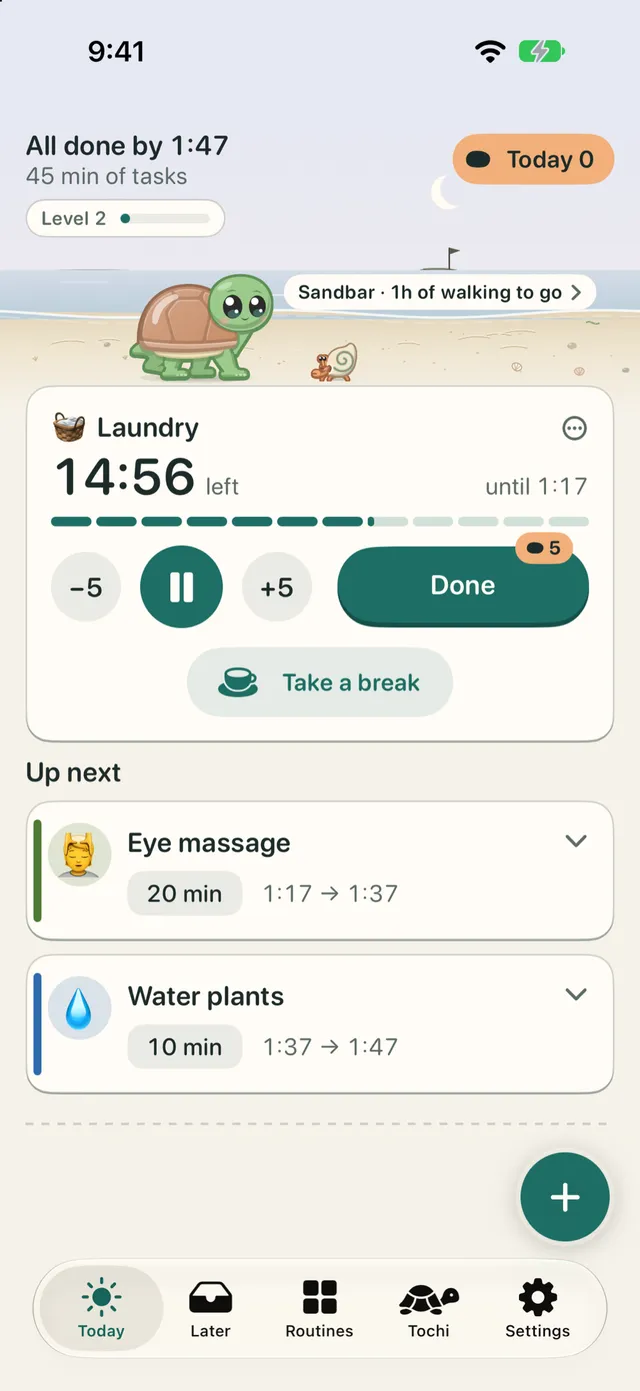
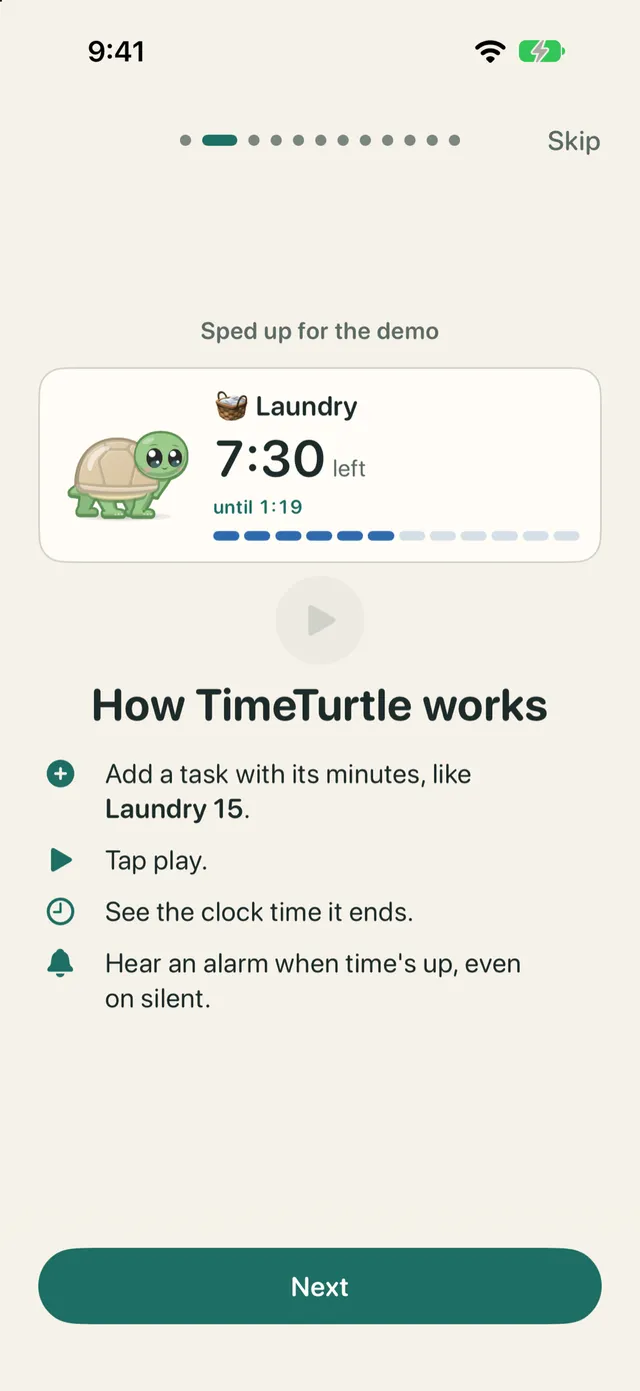
List what you want to do, give each task a few minutes, and tap play. TimeTurtle walks you through it, one task at a time.
Real clock times
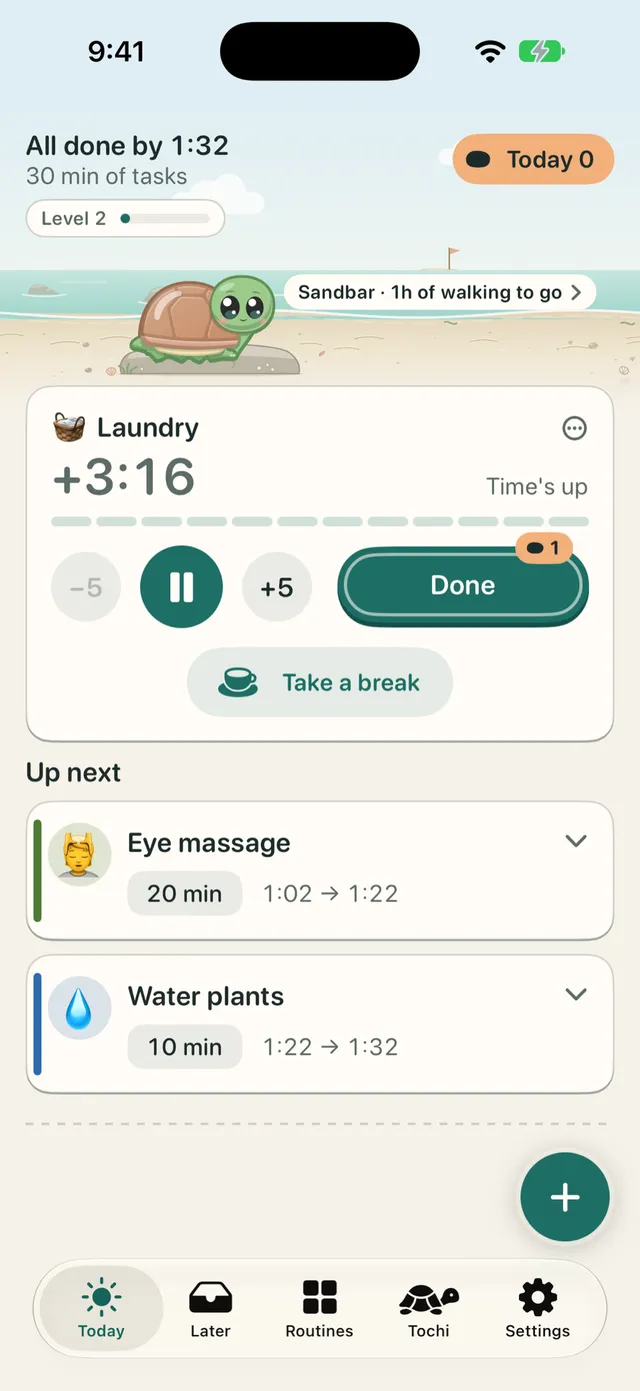
Every task shows when it ends ("until 4:06"), and your whole list shows when you'll be all done ("All done by 5:12").
Rings even on silent
Once you allow alarms, time's up is a real alarm. It rings through silent mode and Focus, like the Clock app.
Nothing piles up
No account, no streaks, no red badges. At zero, TimeTurtle waits for you.
See your time
See exactly when you'll be done
"15 minutes" is abstract. "until 4:06" is real.
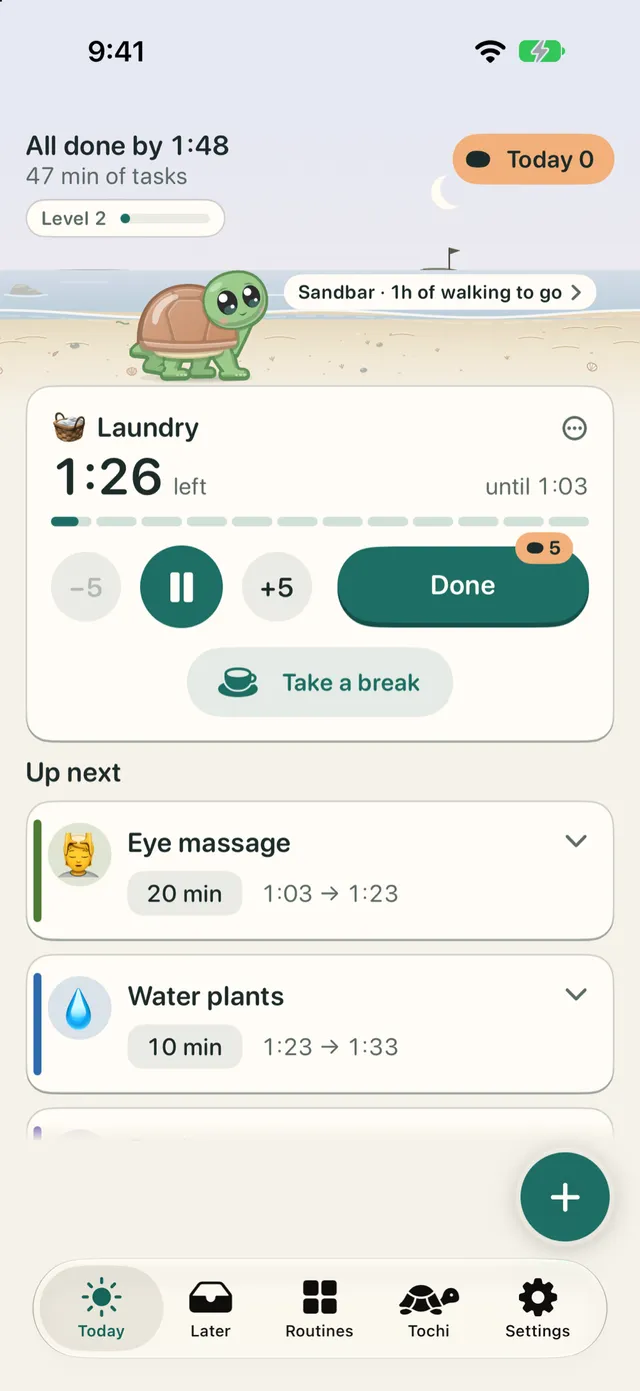
The current task shows its time left and the clock time it ends. Each task in Up next shows its own window, like 8:05 → 8:25. At the top, "All done by 5:12" says when your whole list will end.
A bar empties as time passes, so you can see your time at a glance. A clock time always has a word beside it, so you know if it's the end of the task or of the whole list.
Alarms
Time's up rings even on silent
A gentle heads-up arrives a couple of minutes before zero (you choose 1, 2, or 5 minutes, or off). At zero, TimeTurtle rings a real alarm with your iPhone's alarm sound, through silent mode and Focus.
Tap Done when you're finished, or Stop to quiet it. If you're still in the zone, it checks in again every 5 minutes until you tap Done or Pause.
The alarm needs your permission, which TimeTurtle asks for in its intro. Without it, time's up arrives as a notification that makes no sound on silent, and Today tells you so. To check, open Settings > Alarm check in TimeTurtle and tap Test alarm: it rings after 5 seconds.
No guilt
At zero, it waits for you
Past zero, the timer simply counts up ("+3:12", "Time's up") in a quiet color, never red. Tochi sits on a rock and waits. Nothing moves on by itself.
Nothing completes, moves, or deletes without your tap, on any screen. Changed your mind? Swipes, deletes, and Done all have Undo.
Today doesn't reset at midnight. Back after a few days away? A Welcome back card offers a clean slate, Move all to Later or Keep my list, and never does either on its own.
Plan in seconds
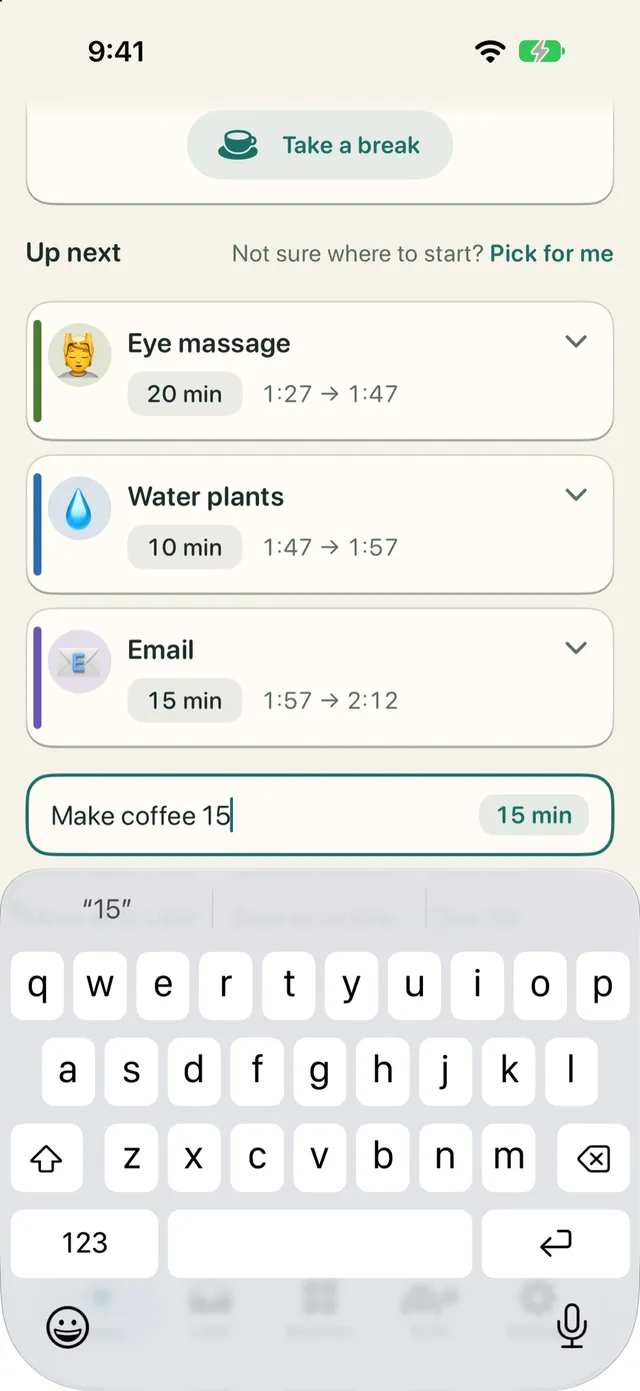
Add a task in one line
Type "Make coffee 15" and you have a 15-minute task, with an emoji suggested from its words. Not sure where to start? Tap Pick for me.
Swipe right to save a task for Later, your back-burner list. Touch and hold to drag it anywhere.
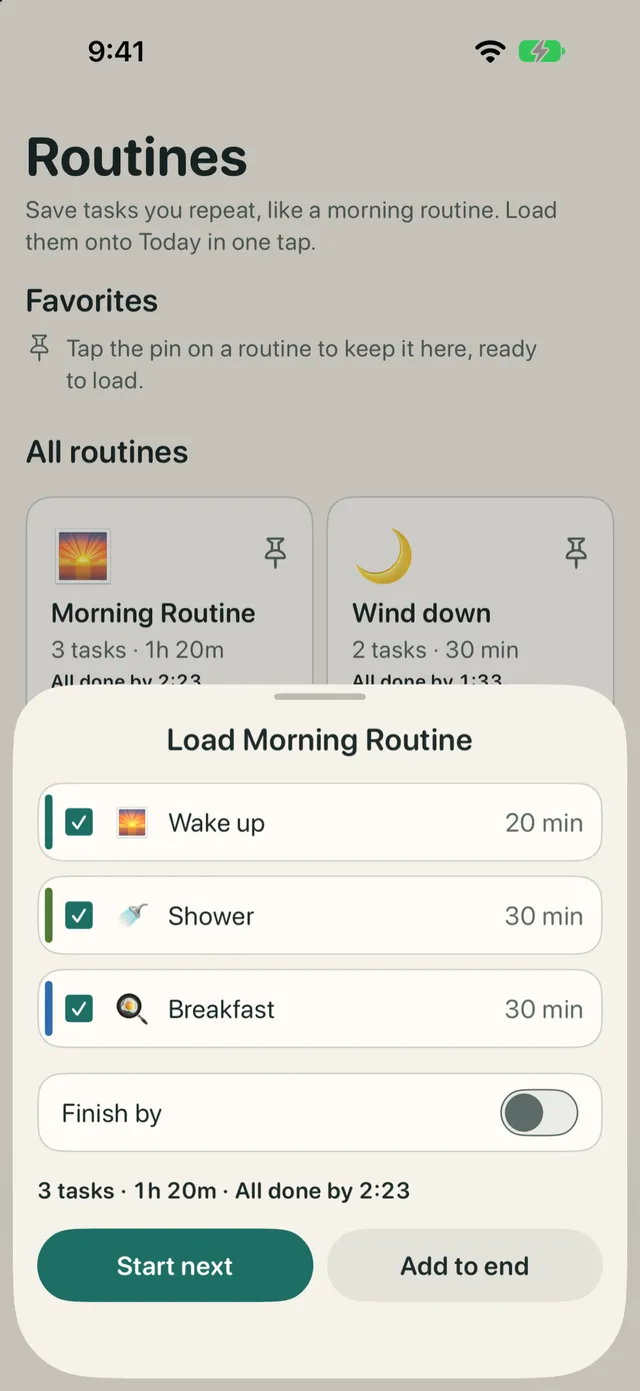
Routines are lists of tasks you repeat, loaded onto Today in one tap. Start with ten ready-made ones, like Morning launch, Out the door, Focus block, and Evening wind-down. Set a Finish by time and TimeTurtle tells you when to begin, like "Start by 7:10 to finish by 8:00".
Meet Tochi
A little turtle walks with you
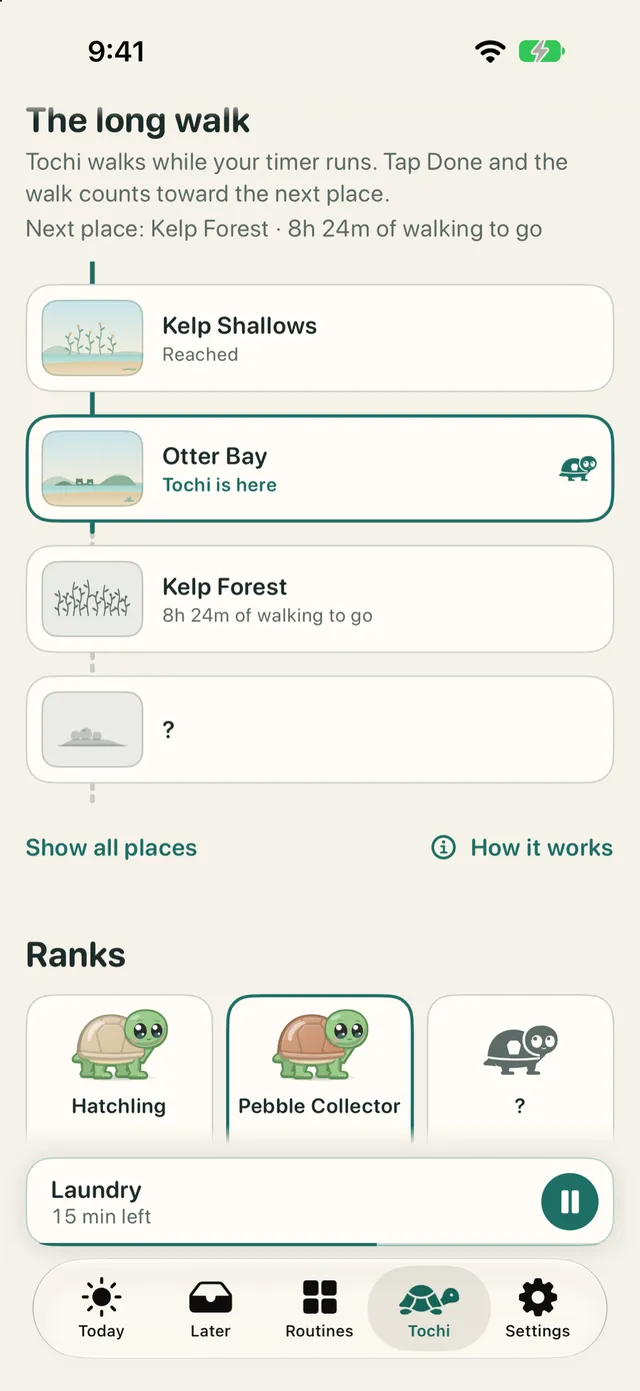
Sir Tochi McShellface walks the shore while your task runs. At time's up, Tochi walks up onto a rock and sits to wait. Paused? Tochi naps. Tochi never asks for anything, and is never sad or hungry.
Every task you finish earns pebbles, one for every 5 minutes you planned, timed or not. Running long costs nothing. Pebbles level Tochi up through 12 ranks, from Hatchling to Ancient Sage, and levels never go down.
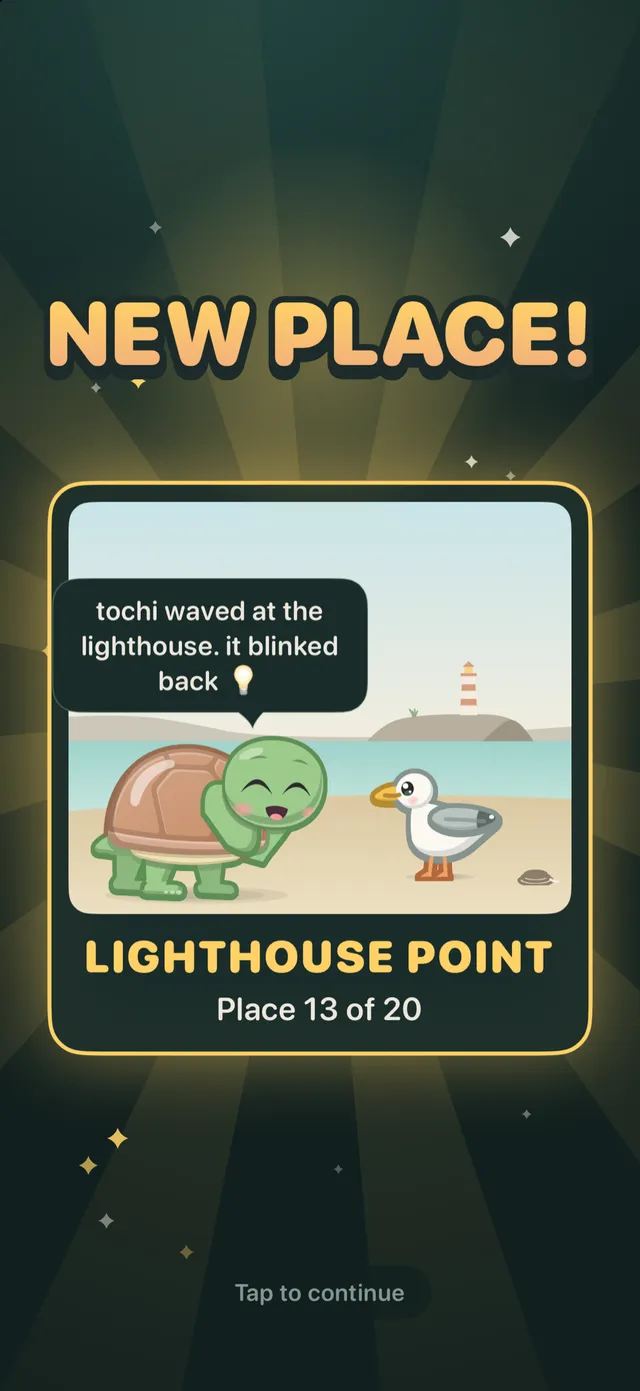
Timed tasks also add to the long walk: 20 places along a coast, each with a creature to meet. Finishing a task, reaching a new place, or leveling up gets a big, loud celebration.
Recap, without judgment
See planned and spent time in words, like "Right on time" or "3 min quicker".
A daily high score
Beat your best day and Tochi celebrates. TimeTurtle never shows how far today is from your best.
you ate that

Take a break
Rest with Tochi for 5, 10, or 15 minutes
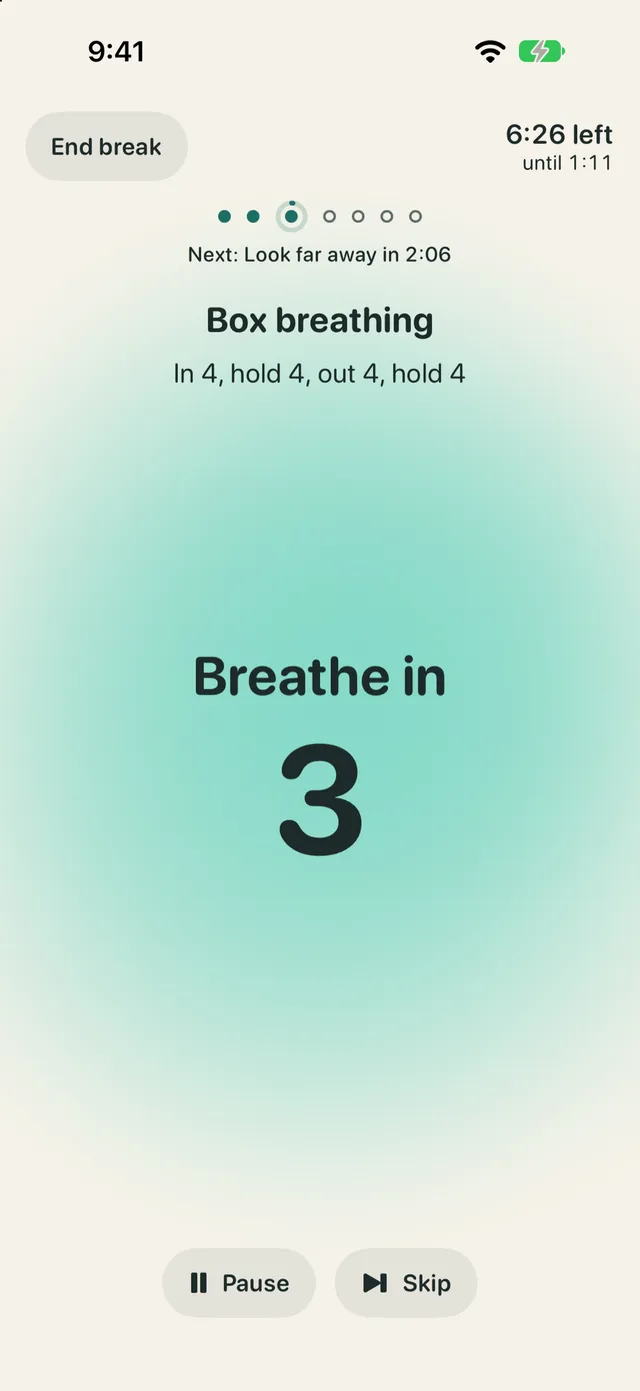
Tap Take a break on Today for a guided rest with Tochi, one gentle step at a time. Box breathing is paced by a soft breath sound, a calm voice, and gentle haptics, so it works with your eyes closed.
When the break ends, TimeTurtle brings you back to your next task. Breaks earn pebbles too.
- Settle in
- Rest your eyes
- Box breathing
- Look far away
- Neck and shoulders
- Hydrate
- Hips and lower back
Move gently. Stop if anything feels uncomfortable.
Lock Screen and wrist
Your timer, wherever you look
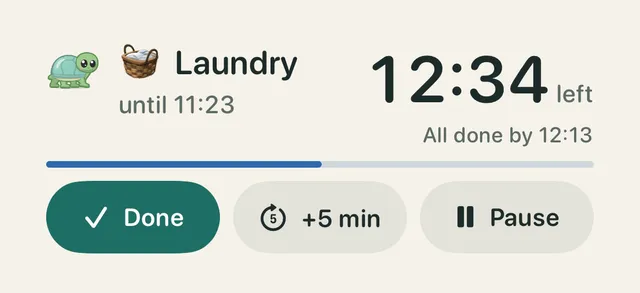
Tap Done, +5 min, or Pause without opening the app.
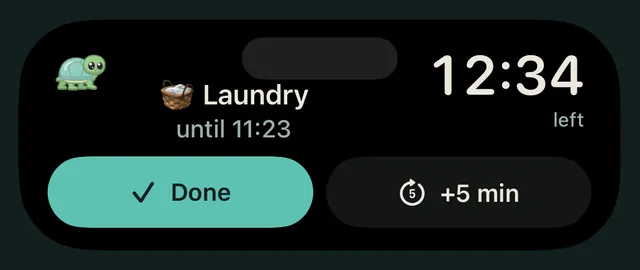
Lock Screen and Dynamic Island
A Live Activity shows your countdown, "until 4:06", and "All done by", with Done, +5 min, and Pause. The Dynamic Island shows it too, on iPhones that have one.
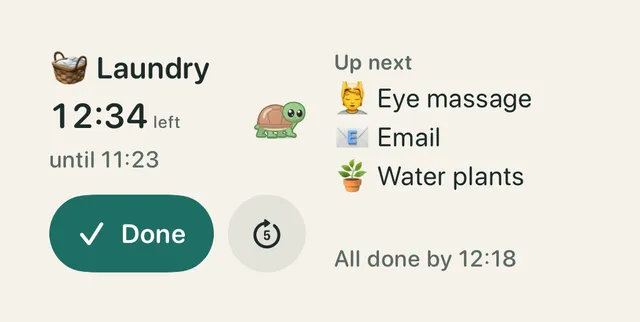
Widgets
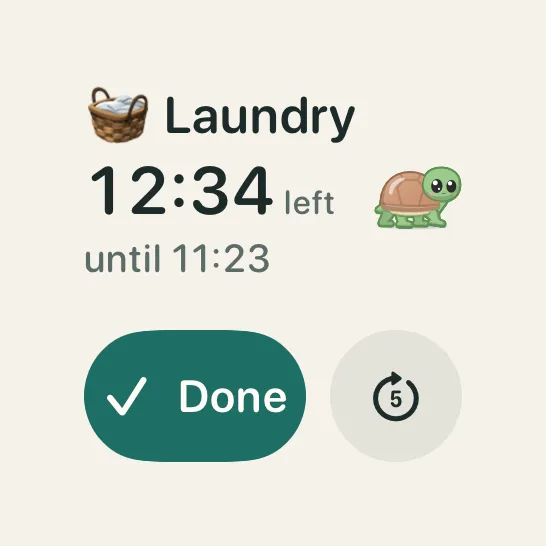
Small and medium on the Home Screen, with Done and +5. Rectangular and inline on the Lock Screen. Medium adds Up next.
Controls
Done, +5 min, Pause, and Add task, for Control Center, the Lock Screen, and the Action Button.
Apple Watch
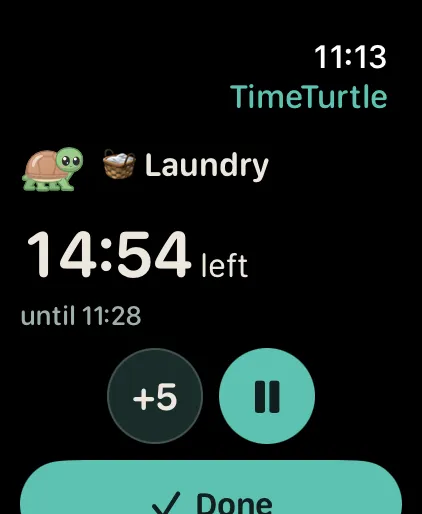
Your current task and its time, with +5, Play/Pause, and Done, plus All done by and Up next. Add TimeTurtle to your watch face too. It needs your paired iPhone nearby.
Privacy
Private by design
No account, no ads, no tracking, and no analytics. TimeTurtle doesn't collect any data, and its App Store privacy label reads Data Not Collected.
Your tasks and progress live on your devices and in your own iCloud, so they follow you to a new iPhone. You can also save a backup file, and it goes only where you save it.
Who made this
Built by someone with ADHD
I'm Satya. I have ADHD, and I built TimeTurtle for brains like mine.
When you lose track of time, one alert that doesn't come through can break your trust in the whole system. So time's up rings even on silent, and TimeTurtle never guilts you.
Satya
FAQ
Questions and answers
Is TimeTurtle free?
Yes. TimeTurtle is free, with no ads.
Does it ring on silent?
Yes, once you allow alarms. Time's up is a real alarm, the same kind the Clock app uses, so it rings through silent mode and Focus. Without the alarm permission, it arrives as a notification that makes no sound on silent.
Do I need an account?
No. There's nothing to sign up for. If you're signed into iCloud, your tasks and progress sync through your own iCloud.
What do I need?
An iPhone with iOS 26 or later. The Apple Watch app needs watchOS 26 and your paired iPhone nearby.
Does it work with Apple Watch?
Yes. The watch app shows your current task and its time, with +5, Play/Pause, and Done, and you can add TimeTurtle to your watch face. It needs your paired iPhone nearby. See Apple Watch help for more.

Ready when you are
List a few tasks, tap play, and let TimeTurtle keep track of time. Tochi will be right there with you.
Free · iPhone with iOS 26 or later